本地 A 股数据,
始终最新,从不损坏。
Your Qlib A‑share data, current and never half‑written.
qlib-sync 把每天的社区数据包装进 Qlib 默认读取的 ~/.qlib/qlib_data/cn_data,先校验、后替换,任何一步出错都保留原有数据。你的 AI 助手也能直接读取它。
qlib-sync installs the daily community release into ~/.qlib/qlib_data/cn_data, where Qlib already looks. It verifies first and replaces second, and keeps your existing data if anything goes wrong. Your AI assistant can read it too.
uvx --python 3.12 qlib-sync cn update
或者 pip install qlib-sync。已是最新时约 1 秒结束。
Or pip install qlib-sync. When nothing is new, it finishes in about a second.
更新是什么样子What an update looks like
先看状态,再更新:带进度下载、核对校验值、汇报新增了哪些交易日。再运行一次,因为没有新数据,一秒结束。 Check the status, then update: the download shows progress, the checksum is confirmed, and new trading days are listed. Run it again and it finishes in a second, because nothing is new.
真实录制,2 倍速播放。 Recorded for real, played at 2× speed.
为什么不直接 wget 加 tarWhy not just wget and tar
Qlib 的说明推荐用一行 wget 下载社区数据包。平时没问题,直到遇到这些情况: Qlib's README suggests a one-line wget of the community release. That works until one of these happens:
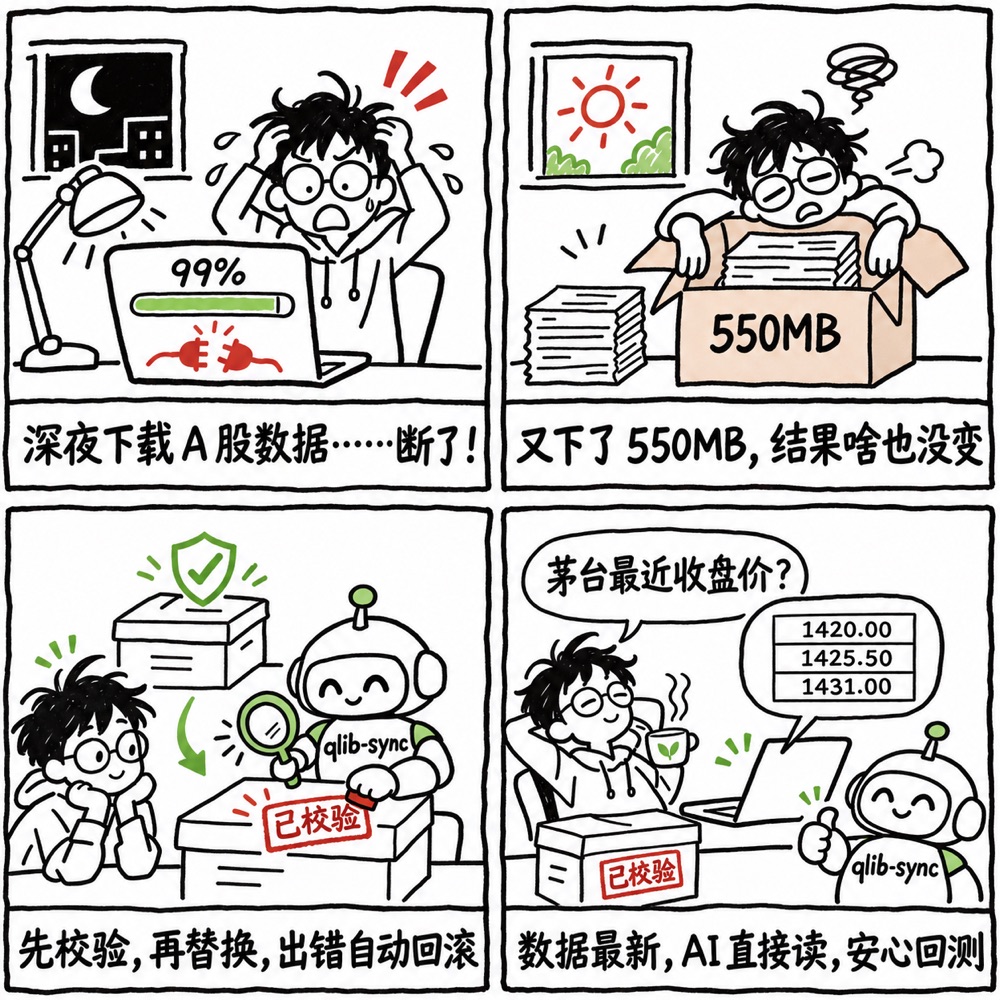
- 下载到一半断了The download breaks halfway 解压出半截数据,或者旧数据已被覆盖才发现失败。 You extract half a dataset, or find out after the old one is already overwritten.
- 上游修正后重新发布The release gets corrected 上游发现数据错误后,用同一个日期重新发布(#163)。只看日期永远拿不到修复。 Upstream republishes a date after fixing data (#163). Comparing dates alone never picks up the fix.
- 每次都下载 550 MBEvery check costs 550 MB 即使什么都没变。qlib-sync 先读一个 500 字节的清单。 Even when nothing changed. qlib-sync reads a 500-byte manifest first.

investment_data 自己的说明也给出了手动校验流程(manifest 加 validate_archive.py)。qlib-sync 每次自动执行同样的检查,并补上自动跳过、整体切换和失败回滚。
The investment_data README describes a manual check with the manifest and validate_archive.py. qlib-sync runs the same checks on every update and adds the skip, the atomic swap, and the rollback.
这些校验能挡住损坏、不完整或被篡改的数据包,挡不住上游正常发布的数据里本身的数值错误。需要时可以用 --keep-backup 保留一份旧数据。
These checks catch broken, truncated, or tampered packages. They cannot catch wrong values inside a correctly published release; keep a rollback copy with --keep-backup if you need one.
让 AI 助手读你本地的数据Let your AI assistant read your data
qlib-sync 自带一个本地 MCP server。MCP 是开放标准,Claude、Codex、Cursor、CodeBuddy、Trae、通义灵码、Cherry Studio 等都支持,背后用 DeepSeek、通义千问、Kimi、GLM 还是 Claude 都可以。数据始终留在你的电脑上。 qlib-sync includes a local MCP server. MCP is an open standard supported by Claude, Codex, Cursor, CodeBuddy, Trae, Tongyi Lingma, Cherry Studio and more, whichever model they run: DeepSeek, Qwen, Kimi, GLM, or Claude. Your data stays on your computer.
-
Claude Desktop
从最新发布下载
qlib-sync.mcpb,双击安装。 Downloadqlib-sync.mcpbfrom the latest release and open it. -
命令行工具Command-line agents
claude mcp add qlib-sync -- uvx --python 3.12 qlib-sync mcp codex mcp add qlib-sync -- uvx --python 3.12 qlib-sync mcp -
CodeBuddy、Trae、通义灵码、Cursor 等Cursor, CodeBuddy, Trae, Tongyi Lingma, and others
在 MCP 设置里手动添加,粘贴: Add a server in the MCP settings and paste:
{ "mcpServers": { "qlib-sync":
  { "command": "uvx", "args": ["--python", "3.12", "qlib-sync", "mcp"] } } }
Cherry Studio、VS Code、Gemini CLI、Qwen Code 的写法见完整说明。 Cherry Studio, VS Code, Gemini CLI, and Qwen Code are covered in the README.
Claude Code 中的真实对话:茅台最近 5 个交易日收盘价,从 1452.00 到 1402.30。在 Codex 中问同样的问题,得到的是同一组数字。 A real session in Claude Code: Moutai's last five closes, from 1,452.00 to 1,402.30. Codex returns the same figures for the same question.
提供的工具:cn_status 查数据状态,cn_update 更新,cn_health_check 检查,cn_get_prices 取日线(默认真实成交价),cn_list_pool 查沪深 300 等成分股。
Tools: cn_status, cn_update, cn_health_check, cn_get_prices (real traded prices by default), and cn_list_pool for CSI 300 and other pools.
在 notebook 里用From a notebook
回测前确保数据是最新的,原来的 Qlib 代码不用改。 Make sure the data is current before a backtest. Your Qlib code stays the same.
from qlib_sync import update_cn

result = update_cn()   # raises UpdateError on failure; existing data unchanged
print(result.latest_date, result.new_trading_days)

import qlib
qlib.init(provider_uri="~/.qlib/qlib_data/cn_data")